Planning a Dubai holiday with your kids? Welcoming a newborn into your UAE life? Relocating with school-age children? Before anything else, you need to understand one rule that catches thousands of families off-guard every year: every child under 18 needs their own individual UAE visa — from newborn babies to 17-year-old teenagers. No shared visas with parents. No age exemptions. No shortcuts at immigration.
This guide breaks down the complete UAE visa policy for children in 2026 — the exact prices, the Dubai visa age limit, what newborns need, the rules for sponsoring sons and daughters, what happens with kids travelling without parents, and the step-by-step application process. Every figure is verified against official GDRFA Dubai and ICP (Federal Authority for Identity & Citizenship) sources, so you can apply with confidence.
📌 Practical Advice: Yes, every child under 18 needs a UAE visa — including newborns. A 30-day child tourist visa costs AED 350–650, a 60-day visa costs AED 500–750, and full child residency runs AED 2,500–4,500. Children travelling with at least one paying parent get their visa free under the UAE Family Group scheme. Sons can be sponsored until age 25; unmarried daughters at any age.
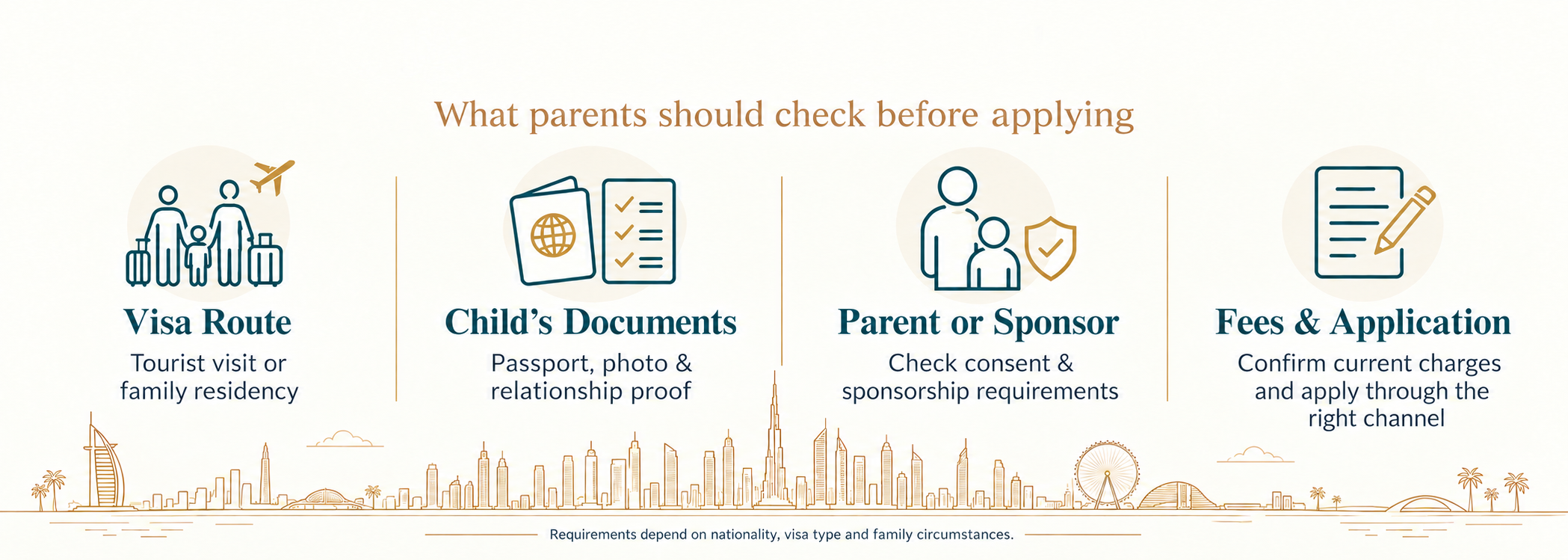
Dubai Visa Age Limit: What Every Parent Should Know
The most common question we hear from parents is: "What is the Dubai visa age limit for children?" The short answer — there isn't one. The UAE does not set a minimum age for visa requirements, which means even a one-day-old baby needs an individual visa to enter Dubai or any other emirate.
Age Rules in Plain English
- No minimum age — a newborn needs a UAE visa just like an adult
- Up to age 17 — applies as a 'child visa' with the prices and rules in this guide
- From age 18 — adult UAE visa rules apply immediately, including medical fitness tests for residency
- Up to age 25 (sons) — can stay on parents' residency sponsorship with a university certificate
- No age limit (unmarried daughters) — can remain on parents' sponsorship indefinitely until marriage
- No upper age limit for visit visas — but applicants over 60 may need extra travel insurance
FOR INDIAN PARENTS
If you've searched 'dubai jane ke liye kitna age chahiye' — the answer is: there is no minimum age. Your toddler, your newborn, your teenager — every child needs their own UAE visa, regardless of how young they are.
Visit Visa for Child in UAE: All the Options Explained
Looking for a visit visa for your child in UAE? You actually have several options — and choosing the right one is half the battle. The wrong visa type is the #1 cause of application delays, so let's break down what each one actually covers.
1. Child Tourist Visa (The Most Common Choice)
Best for: Family holidays, sightseeing trips, theme parks, and short visits to Dubai or Abu Dhabi.
- 30-day single entry — perfect for a one or two-week family vacation
- 60-day single entry — for longer holidays or visiting multiple emirates
- 30/60-day multiple entry — if you're combining UAE with Oman, Saudi Arabia, or other GCC trips
- Your child's visa duration mirrors yours — both expire on the same date
2. Family Visit Visa (When Visiting UAE-Based Relatives)
Best for: Visiting grandparents, uncles, aunts, or siblings who already live in the UAE.
- Sponsored directly by your UAE-resident relative — no agency required
- Available in 30, 60, or 90-day options
- Can be extended twice inside UAE (30 days each time) — up to 90 extra days without leaving
- Children under 18 get this visa FREE when at least one parent pays full price
3. Child Dependent Residency Visa
Best for: Long-term relocation — when a parent already living in the UAE wants their child to live, study, and grow up there.
- Valid for 2 to 3 years (linked to the sponsoring parent's residency expiry)
- Allows the child to enroll in UAE schools and access healthcare
- Children under 18 are exempt from the DHA medical fitness test (adults aren't)
- Biometrics required only for kids aged 15 and above
⏱️ CRITICAL TIMING RULE
Once the child's entry permit is approved, you have 60 days to complete all residency formalities — medical test (if age 18+), Emirates ID registration, visa stamping, and health insurance activation. If these steps are not completed within 60 days, the entry permit expires and you must apply again at additional cost.
⚠ Important: Begin all steps within the first week of entry permit approval — not at the 60-day deadline.
4. UAE Golden Visa for Children (10-Year Residency)
If you hold a UAE Golden Visa, your child under 18 can be sponsored on it for 10 years — with no minimum salary requirement. Exceptionally talented students may also qualify independently based on academic merit, regardless of what their parents do.
5. Newborn Birth Entry Permit
If your baby is born in the UAE, this is the first document they need. It's valid for 120 days from birth, during which you must complete the home-country passport process and apply for the baby's UAE residency. We cover this in detail below.
Child Visit Visa UAE Price: The 2026 Fee Schedule
Here's what most articles get wrong — the actual child visit visa UAE price for 2026. These are the verified GDRFA Dubai and ICP rates. Government fees don't include service charges from visa agencies, which we've factored into the total column.
| Visa Type | Duration | Govt Fee (AED) | Total with Service (AED) |
|---|
| Child Tourist Visa — Single Entry | 30 days | AED 200 + 5% VAT | AED 350 – 650 |
| Child Tourist Visa — Single Entry | 60 days | AED 300 + 5% VAT | AED 500 – 750 |
| Child Tourist Visa — Multiple Entry (30 days) | 30 days | AED 500 + 5% VAT | AED 780 – 1,200 |
| Child Tourist Visa — Multiple Entry (60 days) | 60 days | AED 650 + 5% VAT | AED 900 – 1,400 |
| Family Visit Visa (per child) | 30 / 60 / 90 days | AED 200 / 300 / 400 | AED 350 – 650 |
| Child Dependent Residency Visa | 2 – 3 years | AED 1,100 – 1,500 | AED 2,500 – 4,500* |
| Newborn Birth Entry Permit | 120 days (one-time) | AED 250 – 350 | AED 400 – 600 |
| UAE Golden Visa for Children | 10 years | AED 2,500 – 3,800 | AED 4,500 – 6,500 |
*Total includes entry permit, Emirates ID, visa stamping, and DHA-compliant child health insurance (mandatory, around AED 600/year). Children under 18 skip the medical fitness test entirely.
Child Visa Cost in UAE: What Are You Actually Paying For?
Many parents get confused when one agency quotes AED 350 and another quotes AED 1,200 for the same visa. Here's why — the total child visa cost in UAE is made up of several pieces:
- Government fee — set by GDRFA or ICP (the actual visa fee)
- 5% VAT — added to all government services in the UAE
- Service charge — what the agency charges to process for you (AED 100–300)
- Insurance — mandatory for residency visas, around AED 600/year for kids
- Emirates ID fee — for residency only (AED 370–570 per child)
⚠️ DON'T OVERPAY Some unverified agents charge 2–3x the actual rate. Always apply through ICP Smart Services, GDRFA Dubai's portal, UAE Pass, or a registered Dubai-based DMC. If a quote looks suspicious, compare it with the table above before paying.
When Is a Child's UAE Visa FREE?
Under the UAE Family Group Visit Visa scheme, children under 18 travelling with at least one paying parent get their visa government-fee-free. This is a permanent rule, not a seasonal offer. Service charges (AED 80–170) and insurance still apply, but the actual visa fee is waived. The catch: the parent's visa must be paid at full standard rates for the kids to qualify.
UAE Summer Family Tourism Promotion — Children's Visa Free (July–September 2026)
Under the UAE Cabinet Resolution for family tourism promotion, children under 18 travelling with at least one parent receive their tourist visa government fee free during the summer promotion window: July 15 to September 15, 2026.
| Detail | Information |
|---|
| Promotion period | July 15 – September 15, 2026 🎯 |
| Who qualifies | Children under 18 travelling with at least one paying parent |
| What is free | Government visa fee for the child ✔ |
| What still applies | Service charges (AED 80–170) and health insurance |
| Parent requirement | Parent must pay full standard visa rate |
| Visa types covered | Tourist visa (30-day and 60-day) |
This promotion applies to the government fee component only — agency service charges, processing fees, and any mandatory travel insurance are not waived. The promotion does not apply to dependent residency visas, family visit visas, or Golden Visa applications.
💡 PLANNING TIP
If you are planning a family trip to Dubai between July and September 2026, apply during this window to save AED 210–315 per child on tourist visa government fees. For a family with two children on 60-day visas, that’s a total saving of AED 630 on government fees alone 💰
Child Residency Visa — New Application vs Renewal Cost (2026)
First-time applications and renewals are priced differently. Renewal is cheaper because the entry permit — required only when the child is outside the UAE — is not needed. Use this table to budget accurately for both scenarios.
| Fee Component | New Application (AED) | Renewal (AED) |
|---|
| Entry permit (outside UAE) | AED 500 – 800 | Not required |
| Entry permit / status change (inside UAE) | AED 500 – 800 | Not required |
| Medical fitness test (18+ only) | AED 300 – 700 | AED 300 – 700 |
| Emirates ID (2-year visa) | AED 370 – 570 | AED 370 – 570 |
| Visa stamping | AED 500 – 800 | AED 350 – 600 |
| Mandatory health insurance (annual) | AED 600 – 1,500 | AED 600 – 1,500 |
| Birth certificate attestation | AED 150 – 500 | Usually not required again |
| Typing / Amer centre service fee | AED 100 – 300 | AED 100 – 300 |
| Total — Child under 18 | AED 2,000 – 3,500 | AED 1,500 – 2,500 |
| Total — Child aged 18+ | AED 2,500 – 4,500 | AED 2,000 – 3,800 |
Key saving at renewal: the entry permit fee (AED 500–800) drops off entirely. This is why renewal costs are AED 500–700 lower than a first-time application for the same child.
Child Already in UAE on a Visit Visa? Apply for Status Change Instead
If your child is already inside the UAE on a valid tourist or visit visa, you do not need to send them home to apply for residency. A UAE in-country status change converts their current visa into the residency process — no exit required.
This applies when:
Status Change vs Standard Residency Application
| Category | Standard (Child Outside UAE) | Status Change (Child Inside UAE) |
|---|
| Entry permit needed? | Yes — child travels on it to enter UAE | No — already inside UAE |
| Child must travel? | Yes — from home country to UAE | No travel required |
| Entry permit fee | AED 500 – 800 | AED 500 – 800 (status change fee) |
| Processing time | 5 – 10 working days | 5 – 10 working days |
| Medical fitness (18+) | At approved DHA centre in UAE | At approved DHA centre in UAE |
| Apply via | GDRFA Dubai / ICP | GDRFA Dubai / ICP — same portal |
✅ IMPORTANT RULE
The child's current visit visa must remain valid throughout the status change process.
⚠ Do NOT let it expire: If the visit visa expires, the child becomes an overstayer, leading to fines of AED 50 per day and complications in the residency application.
💡 Best practice: Start the status change process at least 2 weeks before expiry to avoid penalties and delays.
After the status change is approved, complete the Emirates ID registration and health insurance activation — the same steps as a standard dependent residency application. The child does not need to leave the UAE at any point in this process.
Newborn Baby Visa Cost in UAE: Everything Parents Need to Know
"Do babies need a visa to travel to UAE?" Yes. Always. Even a 3-day-old infant needs their own UAE visa. There's no exemption. This catches new parents off-guard more than any other rule, especially when babies are born in the UAE and parents assume they're automatically covered.
If Your Baby Is Born Outside UAE
Apply for a standard child tourist visa — AED 350–650 for a 30-day visit. Documents needed: the baby's passport (yes, newborns need passports too), a recent photo, and the parents' passports and UAE visa copies.
If Your Baby Is Born in UAE — The 120-Day Rule
Here's where things get serious. UAE follows bloodline citizenship — your baby does NOT become Emirati by being born here. Your baby takes the father's nationality automatically (or mother's in specific legal cases). You have exactly 120 days from birth to complete everything below, or daily fines of AED 25 start accumulating against your newborn.
- Get the hospital birth notification and official UAE birth certificate
- Attest the birth certificate at the UAE Ministry of Foreign Affairs (MOFAIC)
- Visit your home country's consulate (e.g., Indian Embassy) to register the birth and get the baby's passport
- Apply for the baby's UAE dependent residency visa through GDRFA or ICP
- Complete Emirates ID registration (no biometrics needed for under-15s, but a guardian must be present)
- Activate DHA-compliant health insurance before any medical service is used
Newborn Baby Visa Cost in UAE: The Full Breakdown
| Cost Component | Amount (AED) |
|---|
| Birth entry permit (120-day) | AED 250 – 350 |
| Birth certificate attestation (MOFAIC) | AED 150 – 250 |
| Dependent residency visa stamping | AED 1,100 – 1,500 |
| Emirates ID (2-year card) | AED 370 – 570 |
| DHA-compliant child insurance (annual) | AED 600 – 1,000 |
| Service & agency charges | AED 200 – 500 |
| TOTAL — Newborn to Residency | AED 2,670 – 4,170 |
Visa Requirements for Newborn Baby in Abu Dhabi
The rules are the same across all seven emirates — but the application portal changes. If your baby is born in Abu Dhabi, Sharjah, Ajman, Fujairah, Ras Al Khaimah, or Umm Al Quwain, you apply through ICP Smart Services (icp.gov.ae), not GDRFA. The 120-day rule, the documents, and the fees are identical. Only the platform differs.
Missed the 120-Day Newborn Deadline — What Happens and How to Fix It
If the 120-day birth entry permit expires before the baby's UAE residency is processed, the newborn technically becomes an overstayer. AED 25 per day fines start accumulating from Day 121. This is more common than most parents expect — passport delays, embassy appointment backlogs, and document attestation queues are the most frequent causes.
What the Fines Look Like
| Overstay Duration | Fine Amount | Action Required |
|---|
| 1 – 30 days | AED 25/day (AED 25 – 750) | Pay fine at GDRFA / ICP + continue residency application |
| 31 – 90 days | AED 25/day (AED 775 – 2,250) | Pay fine + consider UAE Visa Amnesty if eligible |
| 91+ days | AED 25/day + possible entry ban ⚠ | Seek licensed immigration legal advice immediately |
UAE Visa Amnesty — Newborn Overstay Fines Can Be Waived
The UAE periodically issues general amnesty programmes that waive overstay fines for residents and visitors who regularise their status within the amnesty window. Newborn overstay situations — where the delay was caused by administrative processing rather than deliberate violation — have historically been treated sympathetically during amnesty periods.
If your newborn has overstayed the 120-day birth permit, the recommended steps are:
- Do not leave the UAE — exiting with unresolved overstay fines can trigger an entry ban for the child.
- Contact GDRFA Dubai (for Dubai births) or ICP (for all other emirates) and explain the delay with documentation.
- Pay all accrued fines before the residency stamp can be issued — fines must be cleared before departure or regularisation.
- If a UAE visa amnesty is active at the time, apply through the GDRFA or ICP amnesty channel — fines incurred during an amnesty window may be partially or fully waived.
⚠️ DO NOT DELAY
Every additional day of overstay adds AED 25 per day in fines and increases the risk of an entry ban on the child's passport. Even if the fine amount seems manageable, an overstay record can negatively impact future UAE visa approvals for the child.
🚨 Act immediately to avoid penalties and long-term immigration issues.
UAE Visit Visa for Child Under 18 Without Parents: What's Allowed?
Short answer: minors under 18 cannot travel to the UAE alone. At least one parent or a court-recognised legal guardian must accompany them and hold a valid UAE visa. Unaccompanied minor visa applications are reviewed under separate, much stricter immigration rules and are typically denied at the issuance stage.
What If Only One Parent Is Travelling?
Get a notarised No-Objection Certificate (NOC) from the non-travelling parent. This is especially important for divorced or separated parents — UAE immigration officers regularly ask for this at the airport. The NOC should be in English or Arabic, or accompanied by a certified translation.
What If a Grandparent or Other Adult Is Travelling With the Child?
You'll need a court-issued legal guardianship document, attested by the UAE Embassy in your home country and legalised at MOFAIC. Without this, UAE immigration can refuse entry — even with all other documents in order.
Son Visa UAE and Daughter Sponsorship Rules
If you're a UAE resident wanting to sponsor your children long-term, the rules differ slightly between sons and daughters. Here's how it works in 2026.
Son Visa UAE: The Age 25 Rule
You can sponsor your son on a dependent residency visa until he turns 25. From age 18 onwards, you'll need to submit a valid university or higher education enrolment certificate at each annual renewal. Once your son hits 25, he must move to an independent visa — employment, investor, or student — to continue living in the UAE legally.
Children of Determination — Sponsorship With No Age Limit
UAE residents can sponsor a child with a disability — officially recognised as a Person of Determination under UAE law — at any age, with no upper limit. This exception sits alongside the son (to age 25) and unmarried daughter (indefinitely) rules, and applies regardless of gender.
Under Cabinet Resolution No. 65 of 2022, Article 54, the age cap for sons is waived entirely when a child holds a valid disability classification from a UAE-recognised authority. The sponsoring parent must submit:
- A medical report confirming the disability, issued by a licensed UAE hospital or clinic
- A Persons of Determination classification certificate from the Community Development Authority (CDA) or equivalent emirate authority
- All standard dependent residency documents (Emirates ID, health insurance, Ejari)
There is no salary threshold change for this category — the standard AED 4,000/month (or AED 3,000 with accommodation) applies. The visa is renewed on the same cycle as the sponsoring parent's residency, and renewal requires re-submission of updated medical documentation confirming ongoing disability status.
⚠️ IMPORTANT
This exemption must be applied for proactively — it is not automatic at age 25. If a son with a disability turns 25 before this classification is approved, his visa may lapse, leading to residency issues.
💡 Critical action: Apply under the Persons of Determination category at least 60 days before the 25th birthday to avoid any gap in residency status.
Daughter Sponsorship: No Age Limit
Unmarried daughters can stay on their parents' sponsorship indefinitely — no age cap. The only condition is they remain unmarried. Once a daughter marries, she must transfer to her husband's sponsorship within the prescribed time. Marriage certificates need MOFAIC attestation to make the transfer official.
How Much Salary Do You Need to Sponsor Your Child?
- AED 4,000 per month — if you pay for your own housing
- AED 3,000 per month — if your employer provides accommodation
- No minimum salary — if you hold a UAE Golden Visa
- Plus: a registered Ejari tenancy contract (proof of accommodation)
💡 GOOD NEWS FOR 2026 The old rule that limited sponsorship to certain professional categories has been removed. Now any UAE resident meeting the income threshold can sponsor their child, regardless of job title. Your MoHRE-registered employment contract just needs to show the correct salary.
Child Visa Requirements: Complete Documents Checklist
Most rejections come down to documents. Get these right the first time and you'll avoid the most common headaches. Here's exactly what you need for each visa type.
For Child Tourist or Family Visit Visa
- Child's passport — minimum 6 months validity from your travel date
- Recent passport-size photograph (white background, 4.3 × 5.5 cm, taken in last 6 months)
- Copy of parent's passport and valid UAE visa or residency
- Birth certificate (if relationship proof is requested — common for family visit visas)
- Confirmed return flight ticket
- Hotel booking or relative's address in UAE
Extra Documents for Dependent Residency Visa
- Attested birth certificate — legalised by UAE Embassy in home country + MOFAIC
- Sponsoring parent's Emirates ID (original + copy)
- Sponsor's salary certificate or employment contract
- Registered Ejari tenancy contract or property title deed
- DHA-compliant child health insurance certificate (mandatory — no insurance, no visa)
- Attested marriage certificate of parents
✅ VERIFY BEFORE YOU APPLY Before submitting anything, verify your own UAE visa is genuine on the official ICP portal (icp.gov.ae). Linking your child's visa to a fraudulent parent visa results in immediate rejection — and possible blacklisting from future applications.
How to Apply for Your Child’s UAE Visa Online Through Emirates Visa
Applying for a child’s UAE visa becomes easier when the documents are checked properly and submitted through the right process. Emirates Visa helps parents prepare the application, review the child’s documents, and complete the visa process online with expert support.
Step 1: Select the Right UAE Visa Type
Start by choosing the correct visa type for your child based on the purpose of travel. This may include a tourist visa, family visit visa, or dependent/residence visa support. Selecting the wrong visa category can delay the application, so review the visa options carefully before applying.
Step 2: Prepare the Child’s Documents
Collect all required documents before starting the application. Make sure the child’s details match the passport exactly and that all document scans are clear.
Common documents may include:
- Child’s valid passport copy
- Passport-size photograph with white background
- Parent’s passport copy
- Parent’s UAE visa or residence proof, if applicable
- Birth certificate, if required
- Flight details, if applicable
- Accommodation or sponsor details, if required
Step 3: Apply Online Through Emirates Visa
Visit Emirates Visa and choose the relevant UAE visa service for your child. Fill in the required details carefully, including the child’s name, passport number, nationality, travel date, and parent/sponsor information.
Before submission, check every detail properly because even a small mismatch in the child’s name, date of birth, or passport number can cause processing delays.
Step 4: Upload Documents for Review
Upload the child’s documents and parent/sponsor documents through the online application process. The Emirates Visa team reviews the documents before submission to help identify common issues such as unclear scans, missing pages, incorrect photo format, or mismatched information.
This document review step helps reduce the chances of avoidable delays or rejection.
Step 5: Complete Payment and Receive Confirmation
After uploading the documents, complete the payment through the available online payment options. Once payment is successful, you will receive an application confirmation or reference details for tracking and communication.
Keep the reference number safe until the visa process is completed.
Step 6: Track the Application Status
After submission, you can follow up on the Emirates visa application status through the support or tracking process provided by Emirates Visa. The team will update you about the application progress, any additional document requirements, or final approval status.
Step 7: Receive the Approved UAE Visa by Email
Once the child’s UAE visa is approved, the e-visa is sent by email. Download the visa PDF and check all details carefully, including the child’s full name, passport number, visa validity, and entry details.
Keep both a printed copy and a digital copy before travelling.
Step 8: Travel with Complete Documents
When travelling, carry:
- Child’s original passport
- Printed UAE visa copy
- Parent/sponsor documents, if required
- Return ticket, if applicable
- Accommodation details, if applicable
Having these documents ready helps avoid issues during airline check-in or immigration verification.
Important Note
Emirates Visa provides online UAE visa assistance and document support. Final approval depends on the UAE immigration authority. Visa rules, document requirements, fees, and processing times may change, so parents should confirm the latest requirements before applying.
How Long Does a UAE Child Visa Take?
| Visa Type | Normal Processing | Express Processing |
|---|
| Child Tourist Visa (30 / 60 days) | 3 – 5 working days | 24 – 48 hours ⚡ |
| Family Visit Visa | 3 – 7 working days | 48 – 72 hours |
| Child Dependent Residency | 7 – 14 working days | 5 – 7 working days |
| UAE Golden Visa for Child | 14 – 21 working days | Not available |
| Newborn Birth Entry Permit | 2 – 5 working days | Same day ⚡ |
Why Child Visa Applications Get Rejected (And How to Avoid It)
Rejection rates have gone up in 2026 as the UAE tightens family travel screening. Here are the most common reasons applications get rejected — and what you can do about each one.
- Missing or unattested birth certificate when relationship proof is needed
- Sponsoring parent's UAE visa expired or invalid at time of application
- Wrong visa type selected (tourist instead of dependent residency, etc.)
- Sponsor's monthly salary below the AED 3,000 / AED 4,000 threshold
- Photographs don't meet UAE immigration specs (background, resolution)
- No confirmed return flight ticket for tourist visa applications
- Spelling mismatch between child's passport name and parent's visa name
- Passport validity less than 6 months from travel date
IF YOUR APPLICATION IS REJECTED
Do not reapply immediately. Every rejection is logged in the UAE immigration system and is visible to officers during future applications — for the child and, in some cases, the sponsoring parent. A second rejection on the same grounds significantly reduces approval chances.
The correct process after rejection:
- Get the rejection reason code from GDRFA or ICP — do not guess the reason.
- Fix the specific issue identified in the rejection code — wrong documents, salary shortfall, expired parent visa, photo format, or name mismatch.
- Wait at least 30 days before reapplying — reapplying too quickly signals an unresolved issue to the immigration system.
- Reapply through a verified UAE visa service with full document review before submission — not through the same channel that was rejected.
After Your Child's Residency Visa Is Approved
Once your dependent residency visa is approved, you're not quite done. Here's what comes next:
- Visa stamping in passport at a GDRFA or ICP service centre
- Emirates ID biometric registration (required for kids 15+, guardian-accompanied for under-15s)
- Emirates ID card delivery by post (5–10 working days)
- Health insurance activation — make sure it's live before using any medical service
- School enrolment — Emirates ID is required for all UAE schools and nurseries
Emirates ID After Visa Approval — Booking the Biometrics Appointment
Emirates ID registration is a separate step that must be completed after the child's residency visa is approved — it does not happen automatically. Many parents are surprised to find their child's residency is approved but the Emirates ID card has not arrived, because they did not book the biometrics appointment.
What You Need to Do
- Book a biometrics appointment through the ICP Smart Services portal (icp.gov.ae) or the UAEICP app
- Attend the appointment with the child — a parent or legal guardian must be present for all children under 15
- Biometric registration for children under 15 does not require fingerprinting — only a photograph is taken
- Children aged 15 and above must complete full biometric registration including fingerprints
- The Emirates ID card is delivered by Emirates Post within 5 to 10 working days after biometrics
Why This Matters
UAE schools, nurseries, hospitals, and banks all require a valid Emirates ID. Without it, your child cannot be enrolled in school, added to your health insurance, or access government services. Book the biometrics appointment within 5 days of the residency visa approval to avoid any delays before the start of a school term.
📋 APPOINTMENT TIP
Amer centres in Dubai and ICP typing centres in other emirates can book and process your Emirates ID registration on your behalf for a service charge of AED 100–200. This helps you avoid navigating the ICP portal yourself and is the faster option during peak school registration season (August–September).
💡 Pro Tip: Book early during peak months to avoid delays and secure quicker appointments.
The Bottom Line
The UAE visa policy for children in 2026 boils down to a few key rules: every child needs their own visa, no exceptions. Tourist visas start at AED 350 for a 30-day stay. Full residency for a dependent child runs AED 2,500–4,500. Children get the visa free when travelling with a paying parent. Sons can stay sponsored to age 25; daughters indefinitely until marriage. Newborns get 120 days before fines kick in.
Whether you're planning a Dubai holiday with your toddler, welcoming a baby in the UAE, or moving your family long-term — the rules are clear and the process works. The mistakes that cost families money and time are always preventable: wrong visa type, missing documents, expired parent visas, or rushing through an unverified agent. Apply with the right information and you'll be at the airport with no surprises.
NEED HELP APPLYING? Dubai Visits Visa processes UAE child visas across every category — tourist, family visit, dependent residency, and Golden Visa. Every document is reviewed by our experts before submission, which is why our approval rate is over 99%. Apply online and get your child's visa in as little as 24 hours.
UAE Family Travel Guide
UAE Visa Policy for Children
Learn the latest child visa rules, required documents, sponsorship policies, and travel guidelines before visiting the UAE with your children.
Contact Us

 TOURIST VISA